For contractorsBeta
Your yard's Atlas, with a seat for you.
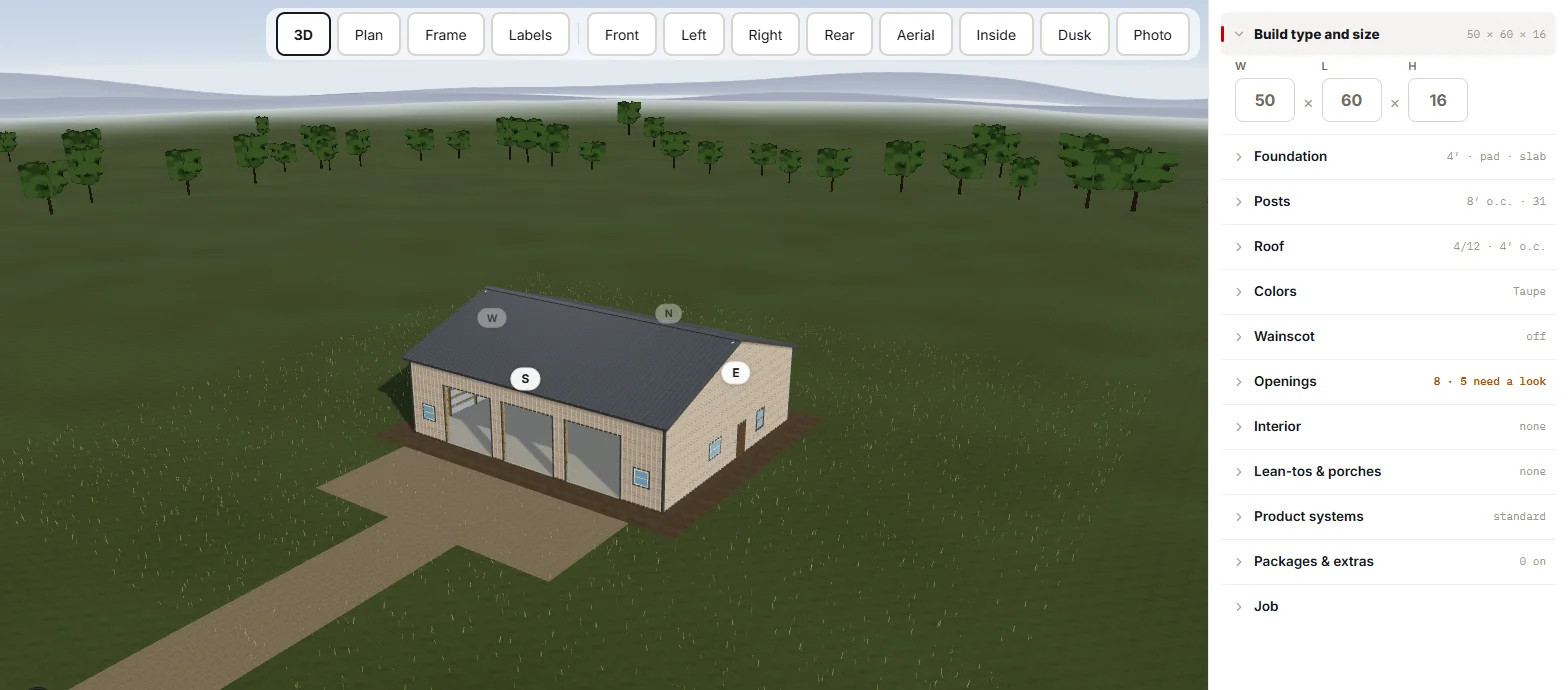
If your building supply runs on Atlas, you get your own page: your buildings, the same 3D builder their reps use, and a button that sends a design to the yard. You design it once, they quote it from the same picture, and nobody re-draws anything.
Watch the 72-second takeoff tour, from a building's size to a signed order.
What works today
Your own seat, from your yard
The yard gives you a seat on their Atlas, limited to your own buildings. No shared logins, no emailing spreadsheets back and forth, and nothing of theirs you were not meant to see.
The same builder their reps use
Draw the building in 3D, set the doors and colors, and send it to the yard with one button. The yard sees exactly what you designed, on the same grid their bill counts.
Show your customer, without an account
Share a building as a view link. Your customer sees it in 3D with one estimated total and no bill, and needs no account. When you change a door, they see it within seconds.
Your crew, on the record
Add and remove your own people. Each one lands on the yard's customer record with who gets delivery notices and who is allowed to pick up material, so the gate never has to guess.
Your standards, set once
Record your starting defaults for base, framing and finishes in a short guided flow, with a not-sure way out on every question. Every new building starts the way you build.
Fits a phone
The contractor page works on a phone, with each building drawn as its own plan and a send button that stays on screen.
How the three tiers work as one
You are the end of a rail that starts at the manufacturer. The supplier publishes the catalog and prices into your yard's Atlas, the yard sells and delivers from it, and your builder draws against the same items. One record, three tiers, nothing re-keyed.
Wholesale vendorstop of the rail
Manufacturers and distributors who sell to the yard
Publish a catalog and per-yard prices once.
For wholesale vendorsSuppliersmiddle
Lumber, steel and post-frame yards, whether they manufacture, buy in, or both
Take off, quote, build or buy, sell and deliver the building.
For suppliersContractorsend of the rail
Builders and crews who buy from the yard
Design the building and send it to the supplier.
Down the rail: catalog, prices and product facts, from the vendor into the supplier's Atlas, and from the supplier into the contractor's builder.
Up the rail: a designed building from the contractor to the supplier today, and purchase orders from the supplier to the vendor next.
Where this goes next
Stated as intent, not as a feature. Atlas is in beta, and what is above this line exists today.
- A priced bill and a one-click order up to the yard, so the building you drew becomes the order they pull.
- Crews and projects, so the job runs from the same record the yard sold it from.
Does your yard run Atlas?
If it does, ask them for a seat. If it does not, tell us who they are and we will talk to them. A yard on Atlas means your buildings are quoted from your drawing, not from a phone call about it.